

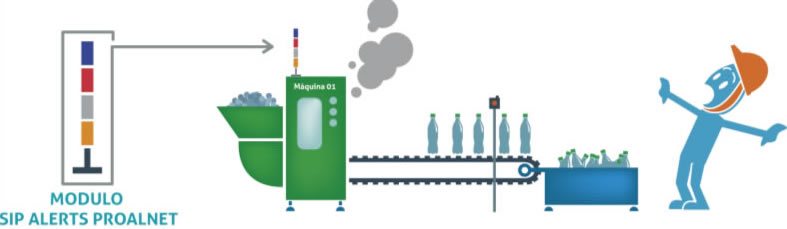
This system is used to alert, as well as in Andon systems, to prevent problems or possible anomalies in a process, it gives support groups, departments, operator or the machine, to support in case an indicator goes out of range, or stopped the machine in case of defects, the ability to stop production when a defect is found and to continue it when it is fixed. The most common reasons are: high waste, many stoppages during the shift, speed problems with respect to the standard speed, lack of material, defect created or found, malfunction or the appearance of a safety problem, longer than normal stops, limits below or above standards of process variables (pressures, etc.). temperature...) or energy.
There are several ways to generate alerts:
- Column of lights of various colors.
- Text messages either by cell phone or by Messenger.
- Email messages.
- Visual management.
These messages will be scalable according to the range of positions assigned, further detail the types of errors, communicate faults to a computer network and record data on the operation of the station or production line.
Alerts are a communication system that supports the operator and support groups through visual and auditory signs in order to allow the production process to continue without being affected by external and internal factors of different kinds and being linear stoppage. The main goal of an alert system in production plants is to increase process throughput and reduce wasted time.
«In today's changing world, situations are different from day to day, so the main objective of real-time alerts is to be able to address the problem before it occurs or immediately happens, and not to visualize the problem in a weekly report when it can no longer be corrected.»
The purposes of light alerts (or through messages) are:
 |
Empowering operations to prevent goal non-compliance and the presence or passing of defects to subsequent processes, aiming to raise quality standards and reduce repair times. | |
 |
Call for assistance when there are problems or deviations from the standardized working condition (maintenance, quality, or production areas depending on the nature of the event). |  |
 |
Resolve issues in the progression of processes. This refers to situations where there are difficulties in continuing the process due to challenges in previous stages that prevent the process from being carried out normally. | |
 |
||
 |
Lead groups and management to the workplace so they can observe the situation and address the issue, either through text messages or emails to the relevant area or personnel, saving time that will be reflected in costs. | 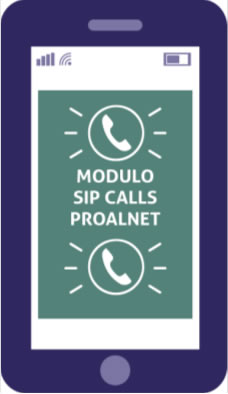 |
 |
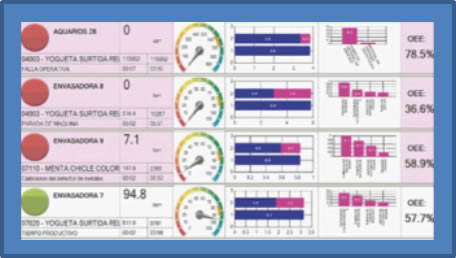
Manage the information of the current operation; this allows for immediate control of the plant's current condition, enabling the implementation of necessary corrective actions. | |
MODULO SIPSCREEN PROALNET |
||
 |
The Gespline platform with the alerts module enables the collection of necessary information to identify where problems occur most frequently. This helps recognize the root causes of issues and eliminate them within the process to prevent them from recurring. | |
PROALNET is a company that provides solutions for the optimization and improvement of industrial production processes. It currently provides its solutions through the GESPLINE platform – Inline Production Management.
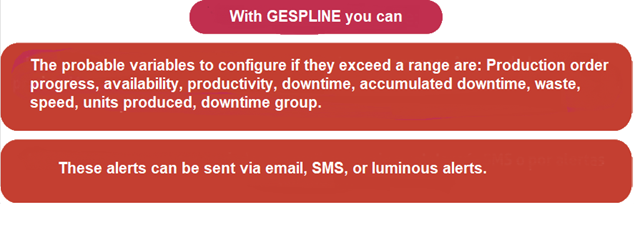
| Alerts Module (SIP Alerts) Luminous, sound, or text message signals in response to an event, configurable to notify based on ranges of any variables measured by the system, such as speed, quality, availability, manufactured units, etc. Customizable to trigger alerts according to the client's needs. |
 |
| Calls Module (SIP Calls) The operator can make calls via text messages from the machine where they are located to different departments such as quality, maintenance, supervision, or any other entity within the company, all fully configurable. |
 |
| Messaging Module (SIP Messenger) Enables communication with the various departments of the plant. This module is crucial as it receives messages from the Calls module and the configured text alerts from the system. It works in conjunction with SIP Alerts and SIP Calls. |
 |
| Giant Screen Module (SIP Screen) Processes, indicators, and units produced are displayed in real-time on a large screen within the plant. |
 |

If you want to receive articles like this by email, sign up! Click Here.
We invite you to watch the video on how our GESPLINE platform works: Click Here!
